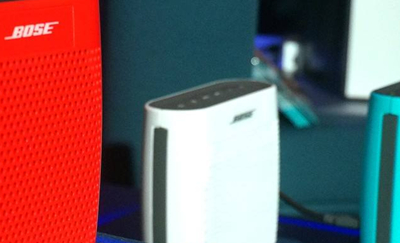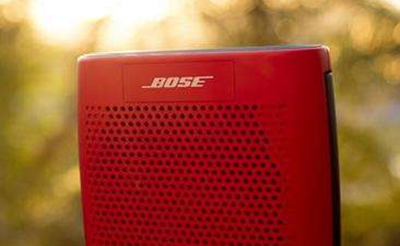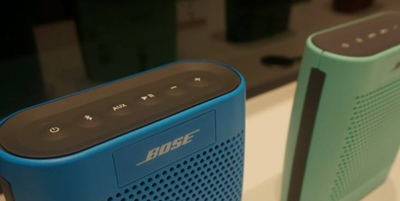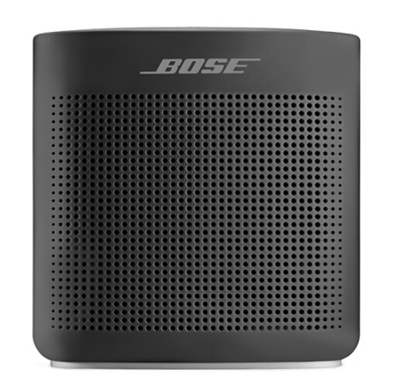
Bose SoundLink Color 蓝牙扬声器 II-黑色 无线音箱/音响
参考价 : ¥1198.00
您所在的位置:智能资讯>教程>SoundLink Color2蓝牙音响怎么打开或关闭语音提示
时间 : 2018-08-28 16:29:00 来源:网络 作者:毛毛狗
大家在使用SoundLink Color2蓝牙音响的过程中会遇到各种各样的问题,比如怎么关闭/打开SoundLink Color2语音提示功能。接下来小编会教大家相关设置教程。
扬声器的语音提示默认为打开,但可以关闭。
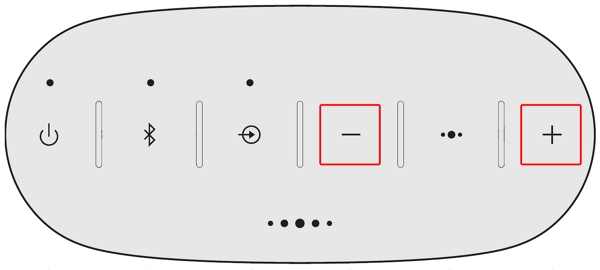
同时按住 Volume +【音量 +】和 Volume -【音量 -】,直到您听到 "Voice prompts off"(语音提示已关闭)的声音。
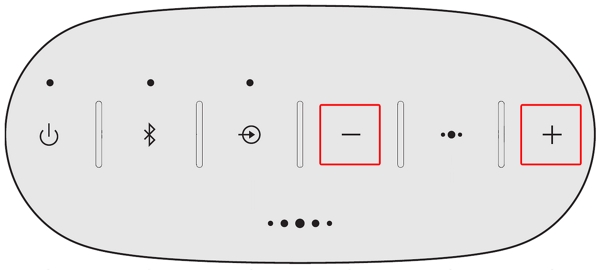
同时按住 Volume +【音量 +】和 Volume -【音量 -】,直到您听到 "Voice prompts on"(语音提示已打开)的声音。
以上是小编带来的SoundLink Color2蓝牙音响打开或关闭语音提示的教程,更多精彩资讯请关注智能家家居网(www.znj.com)!
Bose SoundLink Color2蓝牙音响与蓝牙设备配对连接的图文教程Bose SoundLink Color2蓝牙音响怎么在Vista系统的电脑上选择音频输出设备Bose SoundLink Color2蓝牙音响怎么从扬声器内存中选择要配对的设备Bose SoundLink Color2蓝牙音响怎么在XP系统的电脑上选择音频输出设备SoundLink Color2蓝牙音响怎么选择Mac上的音频输出设备SoundLink Color2蓝牙音响怎么添加其他音乐来源SoundLink Color2蓝牙音响怎么用NFC配对蓝牙设备SoundLink Color2蓝牙音响怎么连接到扬声器配对列表中保存的移动设备SoundLink Color2蓝牙音响怎么使用3.5mm线缆连接移动设备SoundLink Color2蓝牙音响怎么查看电池电量SoundLink Color2蓝牙音响怎么开启派对模式SoundLink Color2蓝牙音响怎么开启立体声模式SoundLink Color2蓝牙音响怎么恢复出厂值设置SoundLink Color2蓝牙音响怎么打开或关闭自动关机功能SoundLink Color2蓝牙音响怎么打开或关闭语音提示SoundLink Color2蓝牙音响怎么选择或更改语音提示语言